Last updated: March 2026 | Reviewed by the ExpertPicks editorial team
 By admin
|
Last Updated - March 2026
By admin
|
Last Updated - March 2026
With over 300 gaming mice hitting the market every year, finding the best gaming mouse in 2026 can feel overwhelming. Whether you’re grinding ranked matches in VALORANT, raiding in World of Warcraft, or just want a reliable daily driver, the right mouse can genuinely improve your accuracy, reduce fatigue, and give you a real competitive edge.
We’ve sifted through the specs, pro player preferences, and thousands of verified buyer reviews to bring you this definitive list of the best gaming mice in 2026 — covering every category from FPS and MMO to wireless, budget, and lightweight picks. Our affiliate table below contains our top 10 picks. Keep reading for our full buying guide, comparison table, and FAQ.
Best Gaming Mice 2026 — Full Specs Comparison
Here is a detailed side-by-side breakdown of every mouse in our top 10, covering the specs and features that actually matter for your buying decision.
| # | Mouse | Best For | Sensor | Max DPI | Weight | Connectivity | Battery Life | Programmable Buttons | Polling Rate | RGB | Grip Style |
|---|---|---|---|---|---|---|---|---|---|---|---|
| 1 | Logitech G502 X Plus Wireless | RGB & power users | HERO 25K optical | 25,600 | 106g | LIGHTSPEED 2.4GHz wireless | ~130 hrs | 13 | 1000Hz | Yes — 8-zone LIGHTSYNC RGB | Right-handed ergonomic |
| 2 | Logitech G PRO X Superlight 2 | FPS & esports | HERO 2 optical | 32,000 | 60g | LIGHTSPEED 2.4GHz wireless | ~95 hrs | 5 | 1000Hz (8000Hz with dock) | No | Ambidextrous |
| 3 | Razer Naga V2 Pro | MMO & MOBA | Focus Pro 30K optical | 30,000 | 134g | 2.4GHz HyperSpeed / Bluetooth / USB-C wired | ~150 hrs (Bluetooth) | 19+1 (swappable panels: 2 / 6 / 12-button) | 1000Hz (4000Hz HyperPolling) | Yes — Razer Chroma RGB | Right-handed ergonomic |
| 4 | Razer Basilisk V3 Pro 35K | All-round competitive | Focus Pro 35K Gen 2 optical | 35,000 | 112g | 2.4GHz HyperSpeed / Bluetooth / USB-C wired | ~90 hrs (2.4GHz) | 13 | 1000Hz (4000Hz with dock) | Yes — 13-zone Chroma RGB with underglow | Right-handed ergonomic |
| 5 | Corsair DARKSTAR RGB Wireless | MMO & large hands | Marksman 26K optical | 26,000 | 128g | SLIPSTREAM 2.4GHz / Bluetooth | ~60 hrs (2.4GHz) | 15 (including tilt wheel) | 2000Hz | Yes — 7-zone iCUE RGB | Right-handed ergonomic (wide body) |
| 6 | Corsair Scimitar Elite Wireless SE | MMO & streaming | Marksman S 33K optical | 33,000 | ~122g | SLIPSTREAM 2.4GHz / Bluetooth / USB-C wired | ~95 hrs | 16 adjustable side buttons + standard buttons | 1000Hz | Yes — iCUE RGB | Right-handed ergonomic |
| 7 | SteelSeries Aerox 3 Wireless | Budget & lightweight | TrueMove Air optical | 18,000 | 68g | Quantum 2.4GHz / Bluetooth | ~200 hrs (Bluetooth) | 6 | 1000Hz | Yes — PrismSync RGB (honeycomb shell) | Ambidextrous |
| 8 | Razer DeathAdder V3 Pro | Wireless & ultralight | Focus Pro 30K optical | 30,000 | 63g | 2.4GHz HyperSpeed / Bluetooth | ~90 hrs (2.4GHz) | 5 (+ 2 side buttons) | 1000Hz (4000Hz HyperPolling) | No | Right-handed ergonomic |
| 9 | Razer Cobra Pro | Compact & travel | Focus Pro 30K optical | 30,000 | 77g | 2.4GHz HyperSpeed / Bluetooth / USB-A wired | ~100 hrs (Bluetooth) | 10 | 1000Hz (4000Hz HyperPolling) | Yes — 11-zone Chroma RGB | Semi-ambidextrous |
| 10 | Razer Basilisk V3 Pro Wireless | Versatile all-rounder | Focus Pro 26K optical | 26,000 | 112g | 2.4GHz HyperSpeed / Bluetooth / USB-C wired | ~80 hrs (2.4GHz) | 11 | 1000Hz | Yes — 13-zone Chroma RGB with underglow | Right-handed ergonomic |
Our Top 10 Best Gaming Mice — Reviewed
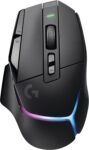
Precise HERO 25K sensors perform down to sub microns with zero smoothing or digital acceleration.
Reworked design legacy delivers latest innovations while maintaining the very iconic and popular G502 form.
Redesigned dual mode scroll wheels switch between fast free rotation and tactical ratcheted precise locking.
Eight individual LED lighting zones are fully customizable and adapt while you are playing games.
Powerplay wireless charging compatibility ensures that the mouse stays powered during all your active sessions.
Two additional programmable controls are provided by the tilting function of the redesigned roller wheel.
LIGHTSPEED technology delivers professional and reliable wireless connections for desktop and mobile laptop gaming setups.
Sensor: HERO 25K optical — zero smoothing, zero digital acceleration, sub-micron precision tracking.
Max DPI: 25,600 DPI.
Weight: 106g.
Connectivity: LIGHTSPEED 2.4GHz wireless (POWERPLAY charging compatible).
Battery Life: Up to 130 hours.
Polling Rate: Up to 1000Hz.
Programmable Buttons: 13 (including dual-mode scroll wheel tilt).
Switch Type: LIGHTFORCE hybrid optical-mechanical switches.
Grip Style: Right-handed ergonomic.
RGB: 8-zone LIGHTSYNC RGB lighting.
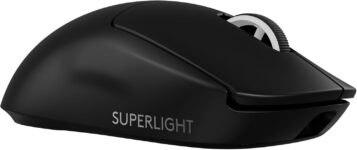
HERO 2 sensor delivers over 888 IPS for elite tracking accuracy and precise sensor calibration.
Professional players benefit from the eight thousand hertz polling rate which offers faster response times.
Internal battery provides ninety five hours of performance and features convenient and fast USB charging.
Zero additive PTFE mouse feet ensure the smoothest possible glide across any professional gaming surface.
POWERPLAY compatibility allows gamers to charge the mouse wirelessly while they are playing or resting.
Ultra lightweight sixty gram engineering ensures that gamers make swift and effortless movements during tournaments.
Included optional grip tape provides extra stability for professional esports athletes during intense tournament play.
Advanced performance settings require technical knowledge of DPI adjustments for optimal tracking and consistent results.
Sensor: HERO 2 optical — 888+ IPS tracking speed, precise sensor calibration, zero acceleration.
Max DPI: 32,000 DPI.
Weight: 60g (ultralight).
Connectivity: LIGHTSPEED 2.4GHz wireless (POWERPLAY compatible).
Battery Life: Up to 95 hours.
Polling Rate: Up to 8000Hz (with HyperPolling receiver).
Programmable Buttons: 5 (removable side buttons).
Switch Type: LIGHTFORCE hybrid optical-mechanical switches.
Grip Style: Ambidextrous.
RGB: None — performance-focused, no lighting.
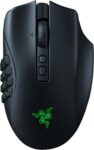
Focus Pro 30K optical sensors track flawless moves across many surfaces including polished desk glass.
HyperScroll Pro wheels allow for customized tactility and resistance for extremely firm and tactile scrolling.
Hyperspeed wireless technology is twenty five percent faster than any other available professional gaming technology.
Ninety million click lifecycles are achieved using optical switches that completely eliminate double clicking issues.
Large internal batteries last up to three hundred hours while using the stable Bluetooth connectivity.
Smart software functions enhance your personal aiming and control across many high resolution screen types.
Included side plates support up to nineteen plus one programmable buttons for complex game macros.
Magnetic swappable side plates significantly increase the total weight compared to simple esports gaming models.
Sensor: Focus Pro 30K optical — flawless tracking on glass, intelligent surface calibration.
Max DPI: 30,000 DPI.
Weight: 134g.
Connectivity: 2.4GHz HyperSpeed wireless / Bluetooth / USB-C wired (3-mode).
Battery Life: Up to 150 hours (Bluetooth) / 100 hours (2.4GHz).
Polling Rate: Up to 4000Hz (HyperPolling).
Programmable Buttons: 19+1 — swappable panels: 2-button, 6-button, or 12-button side plate.
Switch Type: Optical switches — 90 million click lifecycle, no double-click issues.
Grip Style: Right-handed ergonomic.
RGB: Razer Chroma RGB — 16.8 million colors.
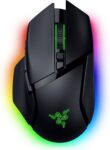
Focus Pro 35K Gen 2 optical sensors deliver best in class tracking for professional gaming.
Thirteen customizable controls enable users to execute complex actions like push to talk and pinging.
Granular aim and control are supported through one DPI step adjustments across all different surfaces.
Advanced 13-zone Chroma lighting with full underglow reacts dynamically with over two hundred integrated games.
Internal battery delivers up to one hundred forty hours of continuous performance on HyperSpeed wireless.
Ergonomic designs perfectly support cutting edge hand positions during very long and intensive desktop sessions.
Integrated multi function triggers provide effortless execution of essential tactical commands within competitive shooter games.
Unlocking higher polling rates strictly requires purchasing additional accessories like the dedicated mouse dock pro.
Sensor: Focus Pro 35K Gen 2 optical — best-in-class tracking, works on glass, 1 DPI step adjustment.
Max DPI: 35,000 DPI.
Weight: 112g.
Connectivity: 2.4GHz HyperSpeed wireless / Bluetooth / USB-C wired (3-mode).
Battery Life: Up to 90 hours (HyperSpeed) / 140 hours (Bluetooth).
Polling Rate: Up to 4000Hz (with HyperPolling dock).
Programmable Buttons: 13 (including multi-function trigger).
Switch Type: Optical switches — 90 million click lifecycle.
Grip Style: Right-handed ergonomic.
RGB: 13-zone Chroma RGB with full underglow.
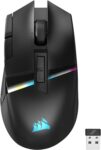
Fifteen programmable buttons including tilt wheels ensure every command is accessible via one click.
Slipstream technology delivers sub one millisecond wireless response for a remarkably low latency advantage.
Native twenty six thousand DPI optical sensors capture even microscopic mouse movements for precision.
Dedicated internal memory saves five custom onboard profiles to maintain your settings on workstations.
Customized Icue software manages seven zone RGB lighting along with DPI remapping and macros.
Integrated six hundred fifty inch per second tracking ensures reliable sensor performance during fast movements.
Ideally placed textured thumb grips provide essential ergonomic support and stability during intensive tactical gaming.
Physical hardware weight of over three ounces is significantly heavier than many standard light models.
Sensor: Marksman 26K optical — 650 IPS tracking speed, 5 onboard profile storage.
Max DPI: 26,000 DPI.
Weight: 128g.
Connectivity: SLIPSTREAM 2.4GHz wireless (sub-1ms) / Bluetooth.
Battery Life: Up to 60 hours (2.4GHz).
Polling Rate: Up to 2000Hz.
Programmable Buttons: 15 (including tilt wheel, adjustable thumb cluster).
Switch Type: Omron mechanical switches.
Grip Style: Right-handed ergonomic (wide body, suited for large hands).
RGB: 7-zone iCUE RGB lighting.
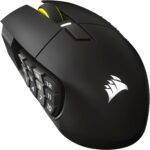
Sixteen fully programmable buttons place immense power right at your fingertips for consumables and macros.
Native Elgato Stream Deck integration provides unique mapping for streamers to manage their shows effectively.
SLIPSTREAM wireless technology delivers a lag free connection with one thousand hertz professional polling rates.
Dual connectivity using Bluetooth or USB allow you to work while charging your mouse hardware.
Virtual Stream Deck profiles add massive functionality to buttons for diverse productivity or gaming workflows.
IPS tracking is improved significantly compared to previous generations of Corsair MMO gaming peripherals today.
Power consumption is lowered through advanced sensor technology for a better and much longer life.
Massive total of sixteen side buttons can feel very overwhelming for most non MMO gaming.
Sensor: Marksman S 33K optical — pixel-perfect accuracy, advanced motion sync.
Max DPI: 33,000 DPI.
Weight: 122g.
Connectivity: SLIPSTREAM 2.4GHz wireless / Bluetooth / USB-C wired (3-mode).
Battery Life: Up to 95 hours.
Polling Rate: Up to 1000Hz.
Programmable Buttons: 16 adjustable side buttons — slide-to-fit key system for custom positioning.
Switch Type: Omron mechanical switches — 50 million click lifecycle.
Grip Style: Right-handed ergonomic.
Bonus: Native Elgato Stream Deck integration for streamers.
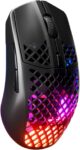
IP54 rated AquaBarrier technology shields internal components from water splashes and dust at your desk.
Extensive two hundred hour battery lives are enabled by the efficient and lag free wireless.
PrismSync RGB lighting provides over sixteen million colors for customized desktop styles and unique setups.
Quantum 2.0 wireless technology delivers professional level performance across Bluetooth and two point four gigahertz.
Golden Micro switches provide crispy tactile clicks and resist dust and water for long durability.
TrueMove Air optical sensors provide pixel perfect accuracy co developed with the industry experts PixArt.
Universal USB connectivity supports easy recharging while the mouse remains active during intense online play.
Cleaning debris from the open shell strictly requires regular maintenance using high pressure air dusters.
Sensor: TrueMove Air optical — co-developed with PixArt, true 1-to-1 tracking, no prediction.
Max DPI: 18,000 DPI.
Weight: 68g — AquaBarrier honeycomb shell design.
Connectivity: Quantum 2.0 wireless 2.4GHz / Bluetooth.
Battery Life: Up to 200 hours (Bluetooth) / 80 hours (2.4GHz).
Polling Rate: Up to 1000Hz.
Programmable Buttons: 6.
Switch Type: Golden Micro IP54 switches — water and dust resistant.
Grip Style: Ambidextrous.
Durability: IP54-rated AquaBarrier — splash and dust resistant.
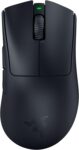
Flawless tracking on reflective glass surfaces is supported by intelligent Focus Pro 30K sensor functions.
Blistering point two millisecond actuation times ensure high performance for competitive play during intense scrims.
Advanced Gen 3 optical switches offer a durable ninety million click lifecycle for serious athletes.
Highly efficient batteries provide ninety hours of continuous usage on a single USB Type C.
Hand comfort is significantly improved through ergonomic form developed with leading professional esports team partners.
Low latency HyperSpeed wireless stays stable even in noisy tournament halls with many wireless signals.
Official Synapse app allows for granular performance optimization to improve your individual pointer tracking precision.
Limited number of side buttons might restrict productivity for users who manage many complex macros. Sensor: Focus Pro 30K optical — flawless tracking on glass, 750 IPS, intelligent surface calibration.
Max DPI: 30,000 DPI.
Weight: 63g (ultralight).
Connectivity: 2.4GHz HyperSpeed wireless / Bluetooth.
Battery Life: Up to 90 hours (HyperSpeed).
Polling Rate: Up to 4000Hz (HyperPolling).
Programmable Buttons: 5 (+ 2 side buttons).
Switch Type: Gen-3 optical switches — 0.2ms actuation, 90M click lifecycle.
Grip Style: Right-handed ergonomic (developed with esports pros).
RGB: None — performance-focused ultralight design.
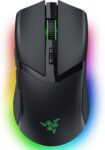
Save up to five preset game profiles for easy hardware switching using the base button.
Immersive Chroma lighting includes eleven zones that react dynamically to hundreds of integrated computer games.
Advanced thirty thousand DPI optical sensors provide flawless tracking even on highly reflective clear glass.
Generation three optical switches offer an improved ninety million click lifecycle with no double clicking.
Internal battery systems deliver one hundred seventy hours of power through a stable Bluetooth wireless.
Proprietary HyperSpeed technology provides a connection much faster than any other competitive wireless tech.
Standardized USB Type C charging ports allow for convenient powering with modern and mobile cables.
Intense lighting and high polling strictly reduce total battery performance during long and daily gaming. Sensor: Focus Pro 30K optical — flawless tracking on glass, 750 IPS, 5 onboard profiles.
Max DPI: 30,000 DPI.
Weight: 77g.
Connectivity: 2.4GHz HyperSpeed wireless / Bluetooth / USB-A wired (3-mode).
Battery Life: Up to 170 hours (Bluetooth) / 100 hours (2.4GHz).
Polling Rate: Up to 4000Hz (HyperPolling).
Programmable Buttons: 10 (including side buttons).
Switch Type: Gen-3 optical switches — 90M click lifecycle, no double-click.
Grip Style: Semi-ambidextrous.
RGB: 11-zone Chroma RGB — reacts dynamically to 300+ games.
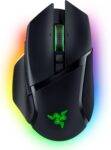
Flawless tracking on reflective glass surfaces is supported by intelligent Focus Pro 30K sensor functions.
Blistering point two millisecond actuation times ensure high performance for competitive play during intense scrims.
Advanced Gen 3 optical switches offer a durable ninety million click lifecycle for serious athletes.
Highly efficient batteries provide ninety hours of continuous usage on a single USB Type C.
Hand comfort is significantly improved through ergonomic form developed with leading professional esports team partners.
Low latency HyperSpeed wireless stays stable even in noisy tournament halls with many wireless signals.
Official Synapse app allows for granular performance optimization to improve your individual pointer tracking precision.
Limited number of side buttons might restrict productivity for users who manage many complex macros. Sensor: Focus Pro 26K optical — HyperScroll Tilt Wheel, flawless glass tracking.
Max DPI: 26,000 DPI.
Weight: 112g.
Connectivity: 2.4GHz HyperSpeed wireless / Bluetooth / USB-C wired (3-mode).
Battery Life: Up to 80 hours (HyperSpeed) / 100 hours (Bluetooth).
Polling Rate: Up to 1000Hz.
Programmable Buttons: 11 (including tilt wheel).
Switch Type: Gen-2 optical switches — 70M click lifecycle.
Grip Style: Right-handed ergonomic.
RGB: 13-zone Chroma RGB with full underglow.
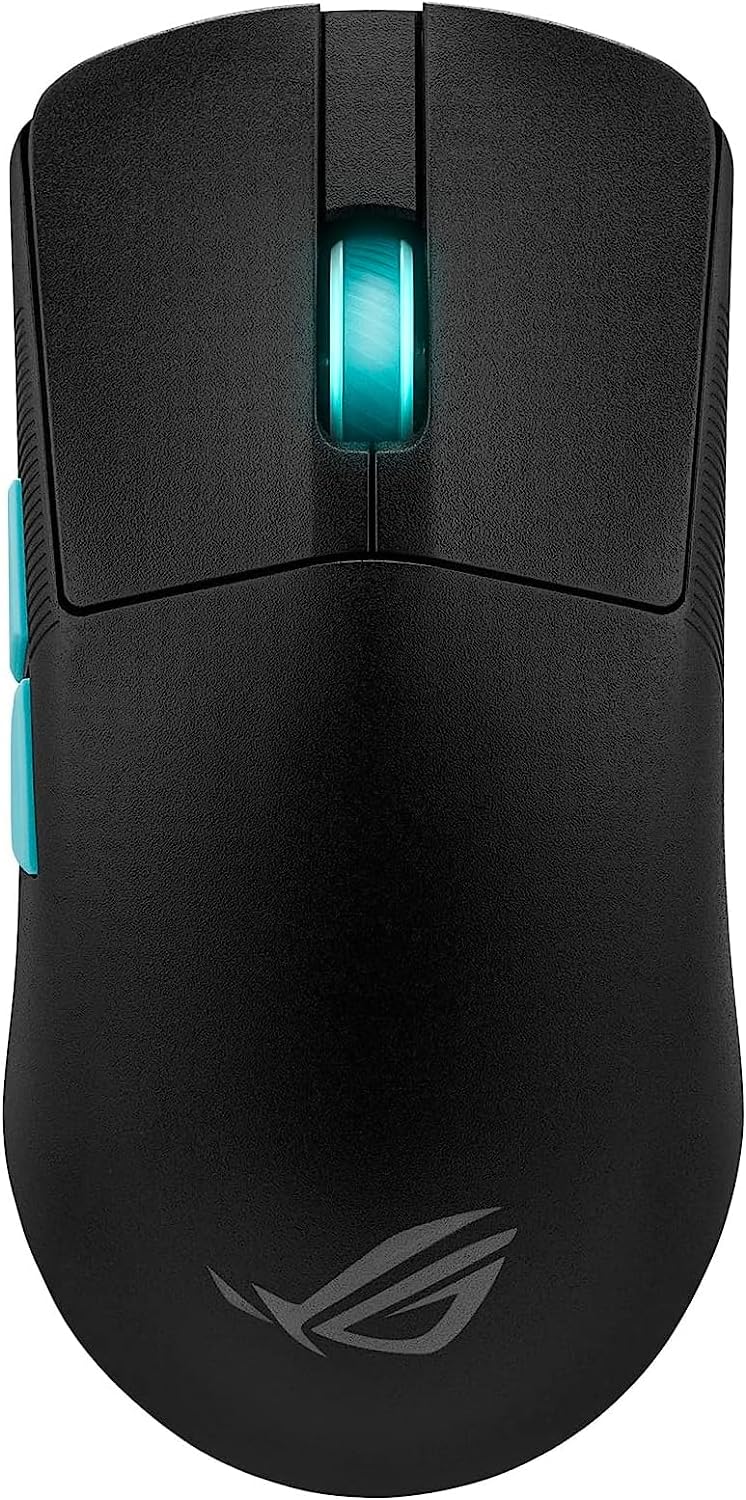
Aim lab optimizer calibrates settings for precise aiming.
Thirty six thousand dot per inch sensor performance.
Optical switches provide eighty million clicks durable lifecycle.
Reliable tri mode wireless connectivity supports professional gameplay.
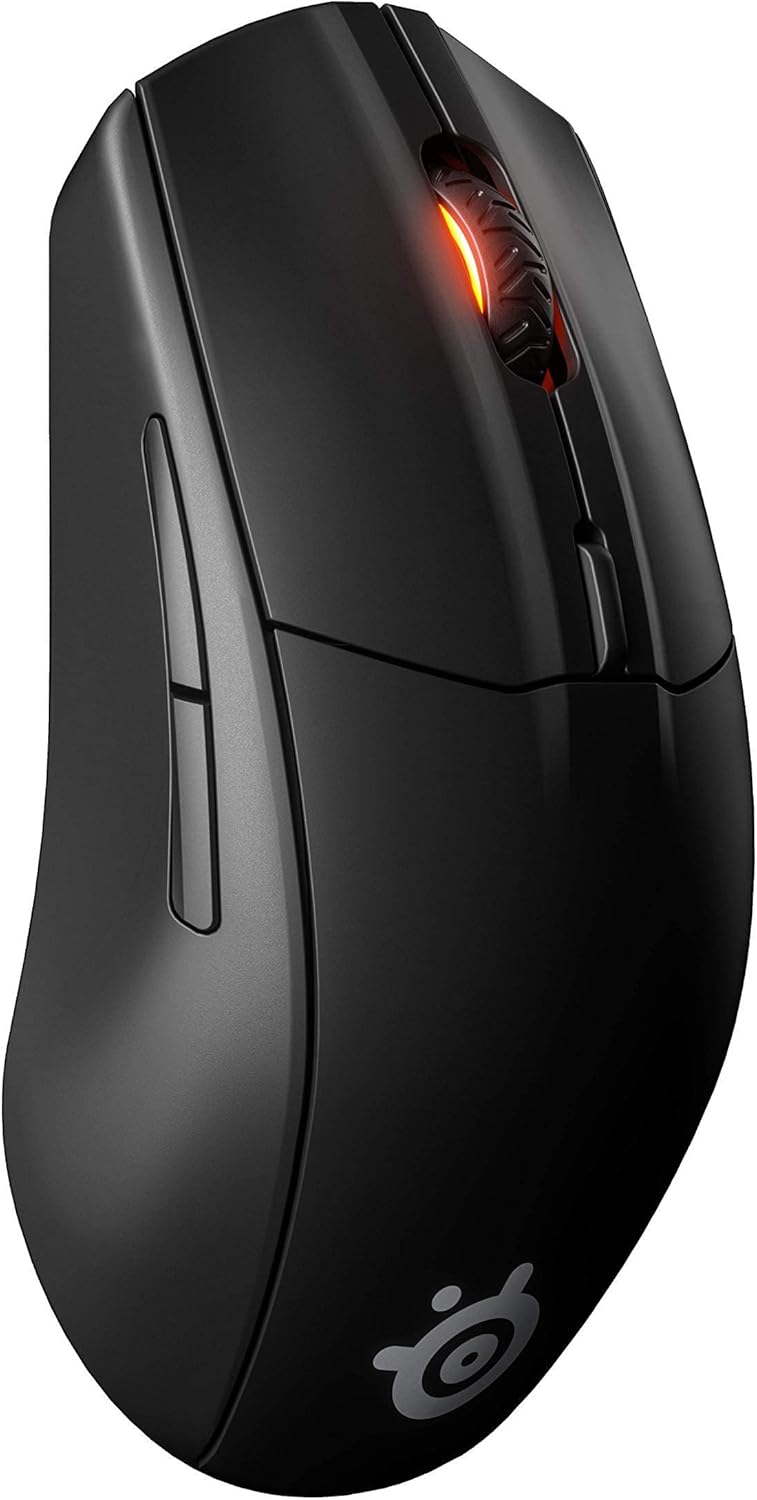
Dual wireless connections support desktop and laptop travel.
TrueMove air sensors offer pixel perfect tracking accuracy.
Durable polymer construction resists damage from intensive gaming.
On board memory stores polling rates and lighting.
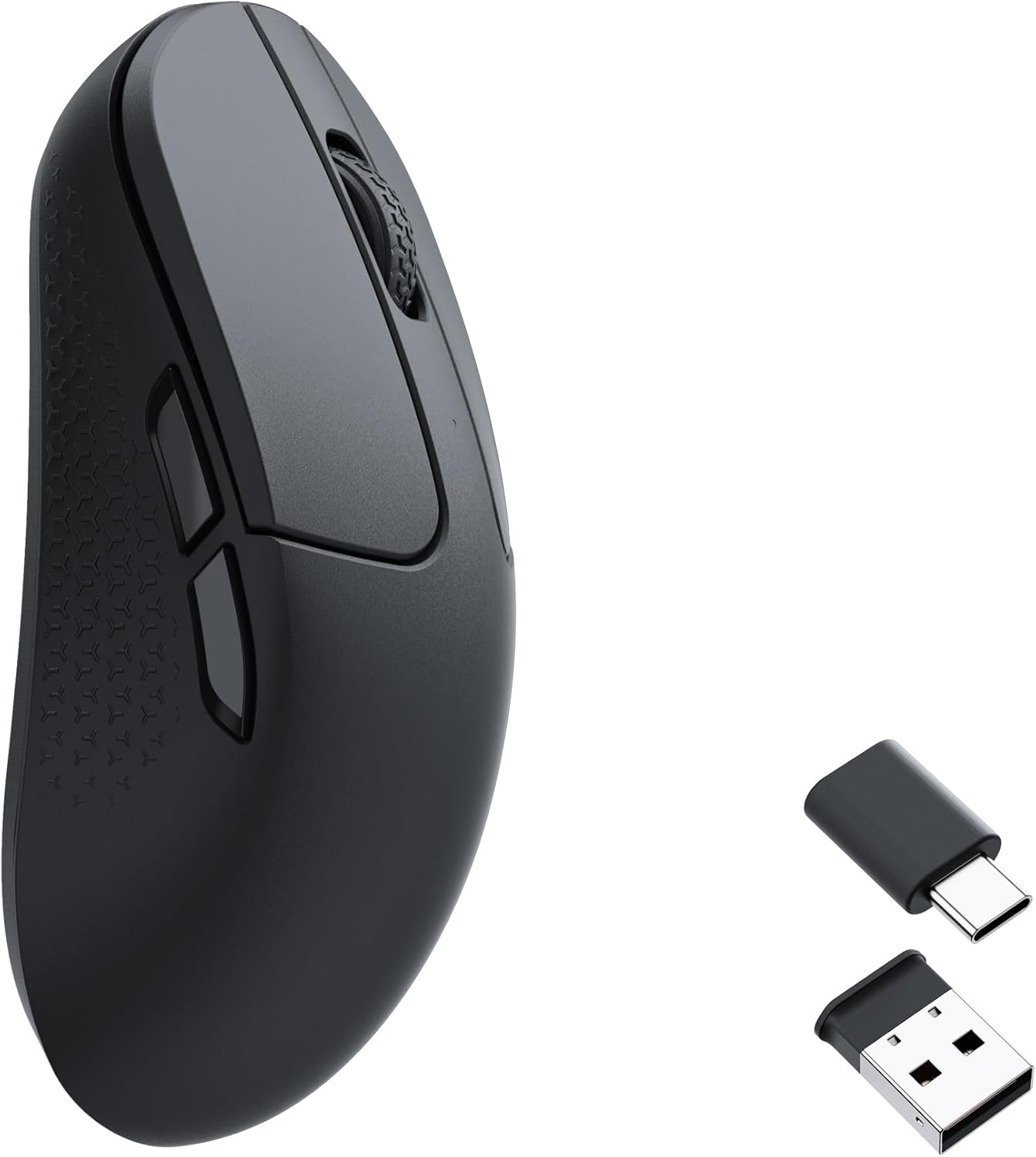
Professional pixart sensors track twenty six thousand DPI.
Integrated software supports macros and onboard setting memory.
Internal batteries provide seventy hours of continuous performance.
Symmetrical curved designs ensure comfortable grip for gamers.
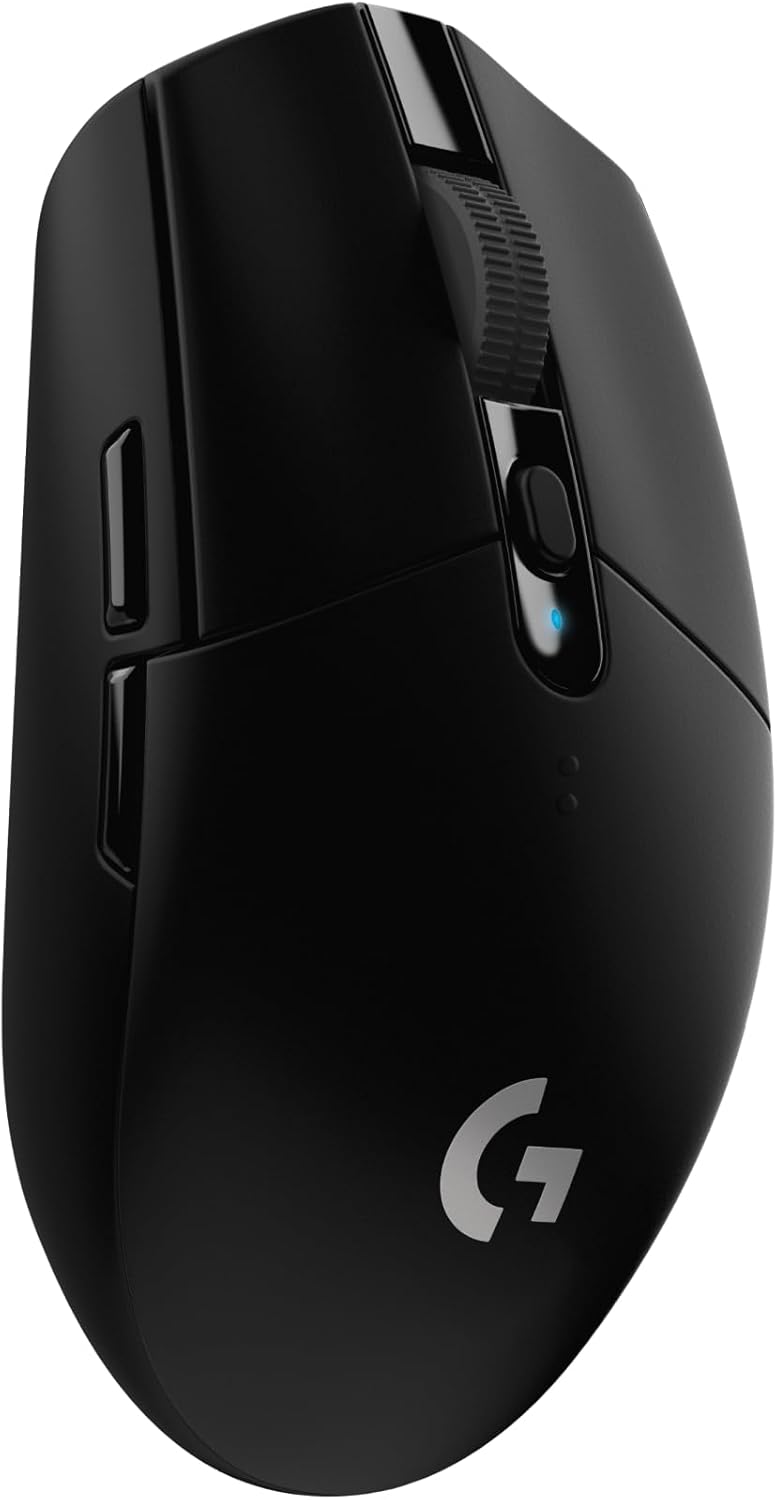
Advanced hero sensors achieve twelve thousand DPI accuracy.
One AA battery provides two hundred fifty hours.
Compact lightweight shells facilitate easy and portable gaming.
Six programmable buttons offer essential shortcuts and macros.
How to Choose the Best Gaming Mouse in 2026
Not all gaming mice are built the same. A mouse that’s perfect for a CS2 pro player is completely wrong for an MMO raider who needs 15 thumb buttons. Before spending $100+ on a peripheral, here’s everything you actually need to know.
Sensor Type — Optical Is the Only Answer in 2026
Modern gaming mice use optical sensors, and there’s a good reason for that. Optical sensors track movement using an LED or infrared light reflected off your mousepad surface. They’re predictable, jitter-free, and have zero acceleration issues when properly calibrated. The best sensors in 2026 include Logitech’s HERO 2 (32K DPI), Razer’s Focus Pro 35K, and the PixArt PMW3395 found in many SteelSeries and Corsair models. Laser sensors, once popular, are largely obsolete for gaming due to inconsistent surface performance.
DPI — What It Means and What You Actually Need
DPI (dots per inch) measures how far your cursor moves per inch of physical mouse movement. Higher DPI = faster cursor movement. Most competitive FPS players actually use 400–1600 DPI and compensate with in-game sensitivity settings. The maximum DPI spec on a mouse (e.g. “35,000 DPI”) is mostly a marketing number — you’d never use it in practice. What matters far more than maximum DPI is sensor accuracy and consistent tracking at your preferred sensitivity. Don’t choose a mouse based on DPI alone.
Polling Rate — 1000Hz vs 4000Hz vs 8000Hz
Polling rate is how many times per second your mouse reports its position to your computer. Standard mice use 125Hz (8ms response). Gaming mice use 1000Hz (1ms). High-end 2026 models now offer 4000Hz and even 8000Hz polling rates — that’s 0.25ms and 0.125ms response times respectively. In practical terms, most players won’t feel the difference between 1000Hz and 8000Hz unless they’re playing at 360Hz+ monitor refresh rates. 8K polling does drain battery faster on wireless models, so consider your use case before paying a premium for it.
Wired vs Wireless — The Latency Myth Is Dead
In 2018, wired mice were universally considered faster. In 2026, that’s no longer true. Modern 2.4GHz wireless gaming mice from Logitech (LIGHTSPEED), Razer (HyperSpeed), and SteelSeries (Quantum 2.0) have latency that’s functionally identical to wired connections — often under 1ms. Top pros in VALORANT and CS2 now routinely use wireless mice. The only real considerations are battery life management and the added weight of a battery, though ultralight wireless mice have solved even that problem with sub-65g designs.
Weight — The Ultralight Revolution
Weight classes in 2026 gaming mice:
- Ultralight (<60g): Best for FPS and fast flick shots. Logitech G PRO X Superlight 2 (60g), Razer Viper V3 Pro (54g). Reduces arm fatigue during long sessions dramatically.
- Mid-weight (60–90g): Good balance of control and features. Razer DeathAdder V3 Pro (63g), SteelSeries Aerox 3 (68g), Razer Cobra Pro (77g).
- Full-weight (90g+): Usually MMO or feature-heavy mice. More buttons, heavier scroll wheels, RGB. Razer Basilisk V3 Pro (112g), Corsair DARKSTAR (119g). Fine for palm grip MMO/RPG players.
Grip Style — This Determines Your Mouse Shape
Your grip style should dictate which mouse shape you buy:
- Palm grip: Your entire hand rests on the mouse. You need a larger, ergonomic mouse with a pronounced hump — Razer DeathAdder V3 Pro or Logitech G502 X are ideal.
- Claw grip: Palm touches the back, fingers arch over the buttons. Medium-sized mice work best — Razer Basilisk V3 Pro, Corsair DARKSTAR.
- Fingertip grip: Only your fingertips touch the mouse. Needs a small, lightweight design — Razer Viper V3 Pro, Logitech G PRO X Superlight 2.
Button Count — FPS vs MMO
For FPS/battle royale/competitive games, 2–6 buttons is ideal. Extra buttons add weight and complexity without benefit. For MMO, MOBA, and strategy games, 12–20 programmable buttons let you bind abilities, macros, and commands directly to your thumb — the Razer Naga V2 Pro with its swappable side panels (2-button, 6-button, or 12-button) is the gold standard for this use case.
Battery Life — What to Expect in 2026
Wireless battery life has improved massively. Entry-level wireless mice now deliver 60–80 hours. Premium mice like the SteelSeries Aerox 3 hit 200 hours at standard polling rates. The Razer Naga V2 Pro lasts 150 hours. Realistically, charging once a week is the worst case for any decent wireless gaming mouse. USB-C charging is now standard across all mid-range and premium options, and several models support charging while in use.
Best Gaming Mouse by Game Title — 2026
Different games demand different tools. Here’s what we recommend for the most popular titles right now:
| Game | Top Pick | Why It Works | Key Spec |
|---|---|---|---|
| VALORANT | Logitech G PRO X Superlight 2 | Ultra-light for quick flicks, used by pro scene | 60g / 32K DPI / 2.4GHz |
| CS2 | Razer DeathAdder V3 Pro | Consistent sensor, low latency wireless, palm-friendly | 63g / Focus Pro 30K |
| World of Warcraft | Razer Naga V2 Pro | 12-button thumb panel for ability bars and macros | 19+ buttons / 150hr battery |
| Warzone / CoD | Razer Basilisk V3 Pro 35K | HyperScroll for fast weapon switching, optical switches | 35K DPI / 11 programmable buttons |
| League of Legends / DOTA 2 | Corsair Scimitar Elite Wireless SE | 16-button side panel for spell binds, fast click response | 33K DPI / 16 side buttons |
| Fortnite | Razer Cobra Pro | Compact, fast wireless, excellent build response for building mechanics | 77g / Focus Pro 30K / 100hr battery |
| Apex Legends | SteelSeries Aerox 3 Wireless | Lightweight frame, budget-friendly, long battery for extended sessions | 68g / 200hr battery |
Frequently Asked Questions — Best Gaming Mice 2026
What is the best gaming mouse for FPS games in 2026?
The Logitech G PRO X Superlight 2 is the top pick for FPS games in 2026. At 60g, it’s one of the lightest wireless gaming mice available, with a 32K DPI HERO 2 sensor, 2.4GHz LIGHTSPEED wireless connection, and 95 hours of battery life. It’s widely used by professional players in VALORANT, CS2, and Apex Legends. The Razer DeathAdder V3 Pro is a close second for those who prefer a larger ergonomic shape.
Is a wireless gaming mouse as good as a wired mouse in 2026?
Yes. Modern wireless gaming mice using 2.4GHz connections (Logitech LIGHTSPEED, Razer HyperSpeed, SteelSeries Quantum 2.0) deliver latency under 1ms — identical to wired performance in practice. The concern about wireless lag is largely outdated. Top professional esports players in VALORANT and CS2 now use wireless mice in tournament play. The only scenarios where wired still makes sense are if you’re on a very tight budget or your wireless environment has significant interference.
What DPI should I use for gaming?
Most competitive FPS players use 400–1600 DPI combined with an in-game sensitivity setting that keeps crosshair movement comfortable. Lower DPI requires larger arm movements and is preferred by players who value precision over speed. Higher DPI suits smaller desk spaces or faster-paced gameplay styles. The key is consistency — pick a setting that feels natural and stick with it. The maximum DPI advertised on a mouse (e.g. 35,000) is rarely used in actual gameplay.
What is the lightest gaming mouse in 2026?
Among mainstream gaming mice, the Razer Viper V3 Pro is one of the lightest at approximately 54g. The Logitech G PRO X Superlight 2 comes in at 60g. For context, anything under 70g is considered “ultralight” in 2026. Finalmouse and Lamzu also produce sub-50g models, though they’re typically harder to source and carry a high price premium.
Which gaming mouse is best for MMO and MOBA games?
The Razer Naga V2 Pro is the definitive MMO gaming mouse. It features three swappable side panels (2-button, 6-button, and 12-button configurations), a Focus Pro 30K optical sensor, and supports 2.4GHz wireless, Bluetooth, and USB-C wired connections. For MOBA players who want fewer buttons with faster response, the Corsair Scimitar Elite Wireless SE with its 16-button adjustable side panel is also an excellent option.
What’s the difference between palm grip, claw grip, and fingertip grip?
Palm grip means your entire hand rests flat on the mouse — this suits larger ergonomic mice and is most common for casual and MMO players. Claw grip means your palm touches the back and your fingers arch over the buttons — medium-sized mice work best. Fingertip grip means only your fingertips make contact — this suits small, lightweight mice and is common among competitive FPS players. Knowing your grip style before buying prevents expensive mistakes.
What is the best budget gaming mouse in 2026?
The SteelSeries Aerox 3 Wireless is our top budget pick at around $60–70. It offers a 68g holey-shell design, 200 hours of battery life, and a TrueMove Air optical sensor — specs that punch well above its price. For those wanting wired on an even tighter budget, the Corsair Katar Pro XT (~$30) delivers a 18K DPI sensor and ambidextrous design at a minimal cost.
Do I need a high polling rate like 8000Hz?
For most players: no. 1000Hz (1ms) polling rate is the competitive standard and is imperceptible from higher rates in typical gameplay. 4000Hz and 8000Hz polling can provide a theoretical advantage in extremely fast-paced scenarios, but requires a monitor with 360Hz+ refresh rate to make any observable difference. High polling rates also reduce battery life on wireless mice. Stick with 1000Hz unless you’re a professional player optimizing every millisecond.
Does RGB lighting affect gaming mouse performance?
No, RGB lighting has zero effect on gaming performance. It does marginally reduce battery life on wireless mice — typically by 10–20% depending on brightness settings. Most gaming mice allow you to disable RGB entirely through their software (Razer Synapse, Logitech G HUB, Corsair iCUE) to maximize battery duration. RGB is purely aesthetic.
How do I clean and maintain my gaming mouse?
Clean the sensor lens monthly with a dry cotton swab to remove dust and debris. Wipe the exterior with a slightly damp microfiber cloth — avoid harsh chemicals. Replace worn mouse feet (skates) when you notice reduced glide; aftermarket PTFE feet from brands like Corepad or Tiger Arc are widely available for popular models. For wireless mice, avoid storing with the battery fully depleted for extended periods. Regular firmware updates via your mouse’s companion software can also fix bugs and improve sensor performance.
How We Pick the Best Gaming Mice
Our team researches hands-on expert reviews, verified buyer feedback, spec sheet analysis, and pro player preferences before recommending any gaming mouse. We evaluate each model across five criteria: sensor accuracy and consistency, ergonomics and grip compatibility, build quality and switch durability, wireless performance and battery life (where applicable), and value for money relative to competitors in its price tier. We update our recommendations regularly to reflect new releases and price changes.
Related Guides
- Best Wireless Gaming Mice 2026
- Best Cutting Boards 2026
- Best Camera Lenses 2026
- Best Trivia Games for Adults 2026